
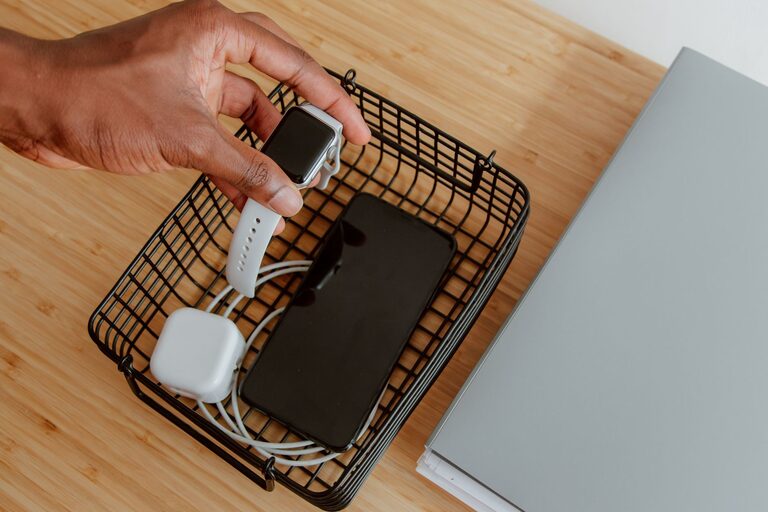
Setting up a dedicated charging station for your devices is a great way to keep your space tidy and ensure all your gadgets stay powered up. Whether you’re at home or in the office, an organized charging area can simplify your daily routine and reduce clutter from cables and chargers strewn around. In this guide, we’ll walk you through the essentials of creating an efficient and neat charging station that fits your needs.
Why Set Up a Charging Station?
With the number of devices we use daily—smartphones, tablets, smartwatches, wireless earbuds, and more—charging them individually can quickly become chaotic. A charging station helps by:
– Consolidating all charging cables and adapters in one spot
– Avoiding tangled cords and lost chargers
– Making it easy to find and charge devices simultaneously
– Helping to protect devices by providing a stable charging spot
Now, let’s dive into how you can set up your own charging station.
Step 1: Choose the Right Location
Before gathering supplies, pick a convenient spot for your charging station:
– Accessibility: Choose a place you frequently use, such as a desk, kitchen counter, or nightstand.
– Power availability: Ensure there is a nearby electrical outlet or consider using a power strip for multiple plugs.
– Safety: Avoid areas prone to moisture or heat, and keep the charging station away from edges to prevent devices from falling.
Step 2: Assess Your Devices and Charging Needs
Take an inventory of the devices you want to charge regularly. Consider:
– The number of devices that need charging at once
– Types of connectors required (USB-A, USB-C, Lightning, etc.)
– Charging speeds preferred (standard or fast charging)
This will help you select the right power sources and cable types.
Step 3: Gather Your Charging Tools and Supplies
Here’s a list of common items you might need:
– Multi-port USB charger: Allows multiple devices to charge from one outlet. Look for chargers with enough ports and fast charging capability if needed.
– Charging cables: Have cables compatible with all your devices. Consider shorter cables for less clutter.
– Power strip or surge protector: Essential if your outlet doesn’t have enough sockets. Protects your devices from power surges.
– Charging station organizer: Can be a wooden or plastic organizer with slots and holders to keep devices upright and separated.
– Cable management accessories: Clips, ties, or sleeves help keep cords untangled and neatly arranged.
Step 4: Set Up Your Charging Station
Arrange the Hardware
– Plug your multi-port charger into the power source or power strip.
– Position the charger on or inside your charging station organizer.
– Connect the charging cables to the ports.
Organize Your Cables
– Route cables through cable channels or clips to prevent tangling.
– Use cable ties or Velcro straps to bundle excess length.
– Label cables if charging different types of devices to avoid confusion.
Position Your Devices
– Place devices upright in the slots or holders provided by the organizer.
– Ensure devices are stable and cables are not stressed or bent sharply.
– If charging multiple devices, arrange them so they are easy to pick up without disturbing others.
Step 5: Maintain Your Charging Station
To keep your station working well:
– Regularly check cables for damage and replace if worn out.
– Clean the charging area to prevent dust buildup on connectors.
– Rearrange the station as you add or remove devices over time.
– Avoid overloading power outlets or using incompatible chargers.
Additional Tips for a Perfect Charging Station
– Wireless charging: Consider adding a wireless charging pad for compatible devices to reduce cable clutter.
– Portable charging: Include a portable power bank nearby for charging on the go.
– Child safety: If children use the station, ensure cords and outlets are safe and out of reach.
– Aesthetic: Choose organizers and cables that match your décor for a pleasing look.
Final Thoughts
Setting up a charging station is a simple project that can greatly improve your device management and workspace tidiness. By selecting the right location, tools, and organizational system, you create a central spot to keep your essential gadgets powered and ready to go. Give your devices a dedicated home, and enjoy a clutter-free and efficient charging experience!
—
We hope this guide helps you create your perfect charging station. Stay charged and organized!